
Guide 12 of 12
Best Instant Data Scraper Alternatives in 2027
Compare the best Instant Data Scraper alternatives for 2027: online tools, browser extensions, spreadsheet functions, visual scraping platforms and code libraries.
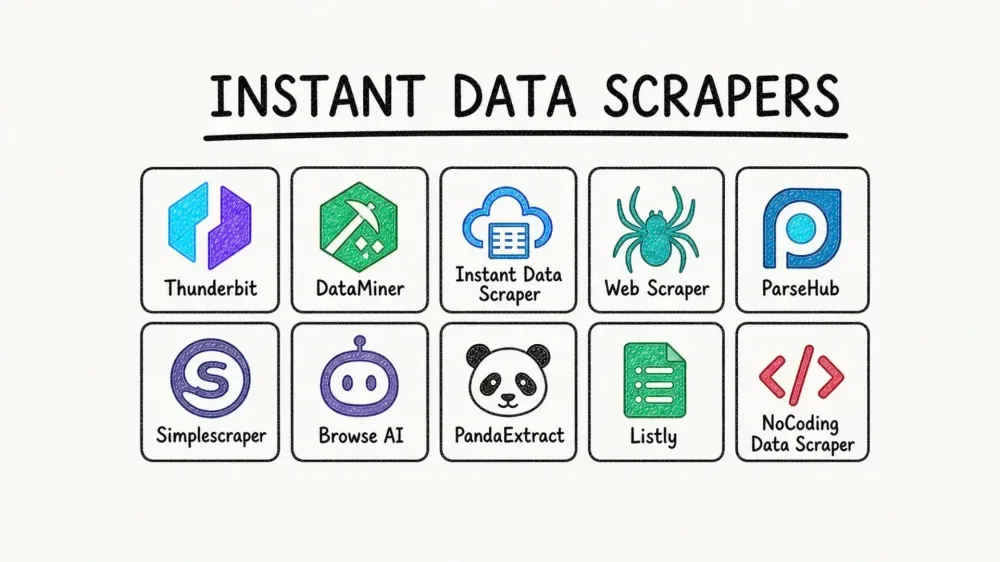
The Instant Data Scraper browser extension made one-click scraping popular. But it isn't right for everyone: it needs a desktop browser, can't be installed on many work computers, offers limited control over columns, and several reviews in 2026 reported that its original developer no longer actively maintains it.
This guide compares the main alternatives heading into 2027 — online tools, other browser extensions, spreadsheet functions, visual scraping platforms and code libraries — so you can pick the right tool for your project. Features and prices change often, so always check each product's own website before deciding.
Disclosure: this guide is published on instantdatascraper.net, which is one of the options listed. We've tried to describe every option fairly.
How to choose an alternative
Ask five questions:
- Where will you use it? Desktop only, or also phone and tablet?
- Can you install software? Work computers often block extensions.
- How often? One-off extraction or a recurring, scheduled job?
- How complex? Simple tables or multi-step navigation, logins (only where you're authorised) and JavaScript?
- Budget and skills? Free and no-code, or paid and developer-friendly?
1. Online scraping tools
instantdatascraper.net (this website)
- What it is: an online tool — paste a URL, preview, download.
- Strengths: no installation, works on phones, Automatic/Table/List/CSS selector modes, pagination, real Excel, CSV and JSON exports, extraction history for signed-in users.
- Limitations: public pages only (no logins by design); JavaScript rendering depends on the plan and server.
- Best for: quick extractions on any device and people who can't install extensions.
2. Browser extensions
Web Scraper (webscraper.io)
- Point-and-click "sitemaps" that describe how to navigate a site and what to extract.
- Handles multi-level navigation (category → product) and pagination.
- Has a paid cloud version for scheduled runs.
- Best for users willing to learn a slightly more structured approach.
Data Miner
- Uses ready-made "recipes" for popular sites plus custom recipes.
- Free tier with page limits; paid plans for more pages.
- Best for repeat extractions from common website types.
Other one-click table extractors
Several smaller extensions copy tables to the clipboard or CSV. They're handy for single tables but usually lack pagination and column control.
3. Spreadsheet functions
Google Sheets IMPORTHTML and IMPORTXML
=IMPORTHTML(url, "table", 1)imports the first table on a page.=IMPORTXML(url, xpath)extracts elements with an XPath query.- Free, refreshes automatically, but struggles with JavaScript sites and can be slow or rate-limited.
Excel Power Query (Data → From Web)
- Detects tables on a page and loads them into Excel with repeatable transformation steps.
- Good for static tables you refresh regularly.
4. Visual scraping platforms
Octoparse and ParseHub
- Desktop apps with visual workflow builders: click elements, define loops, handle pagination and JavaScript.
- Cloud execution and scheduling on paid plans.
- Best for complex, recurring projects without writing code.
Browse AI and similar "robot" services
- Record a robot in your browser, then run it in the cloud on a schedule and receive changes by email or integrations.
- Good for monitoring a small set of pages over time.
Apify
- A cloud platform with a marketplace of ready-made scrapers ("actors") plus tools for developers.
- Scales to large jobs; pricing based on usage.
5. Code libraries (for developers)
- Python: Requests + Beautiful Soup for static pages; Scrapy for large crawls; Playwright or Selenium for JavaScript pages.
- JavaScript/Node.js: Cheerio for static HTML; Playwright or Puppeteer for rendered pages.
- Strengths: total control, free, scales well.
- Limitations: requires programming and ongoing maintenance.
Comparison table
| Option | Install? | Mobile | Coding | Pagination | Scheduling |
|---|---|---|---|---|---|
| instantdatascraper.net | No | Yes | No | Yes | No |
| Instant Data Scraper extension | Yes | No | No | Yes | No |
| Web Scraper | Yes | No | No | Yes | Cloud plan |
| Data Miner | Yes | No | No | Yes | Paid plans |
| Google Sheets IMPORTHTML | No | Partly | Formulas | Manual | Auto-refresh |
| Excel Power Query | No | No | No | Limited | Refresh |
| Octoparse / ParseHub | Yes | No | No | Yes | Yes |
| Apify / Browse AI | No | Web app | Optional | Yes | Yes |
| Python / Node libraries | Yes | No | Yes | Yes | Yes (self-built) |
Recommendations by situation
- Quick one-off extraction on any device: an online tool such as instantdatascraper.net.
- Single static table you refresh often: Google Sheets IMPORTHTML or Excel Power Query.
- Multi-level navigation, no code: Web Scraper extension or a visual platform.
- Scheduled monitoring: a cloud platform with scheduling.
- Large, custom or long-term projects: Python or Node.js libraries.
Whatever you choose: scrape responsibly
- Use official APIs and datasets when they exist.
- Respect terms of service and robots.txt.
- Avoid personal data and never bypass logins, paywalls or CAPTCHAs.
- Keep request volumes modest.
Evaluation criteria in detail
Ease of use
How quickly can a non-technical person get a correct result? One-click tools win for simple pages; visual platforms need setup but handle complexity.
Accuracy and control
Can you choose exact fields? Selector support, field naming and the ability to switch between detected datasets matter more than flashy features.
Handling of modern websites
JavaScript rendering, pagination and lazy-loaded images separate capable tools from basic table copiers.
Export quality
Look for real .xlsx files, UTF-8 CSV with proper quoting, and JSON for developers.
Privacy and security
Where is data processed? How long is it kept? Does the tool request broad browser permissions? Is it actively maintained?
Responsible behaviour
Does the tool respect robots.txt and rate limits? Tools that advertise CAPTCHA bypassing or "undetectable" scraping can put you at legal and reputational risk.
Cost
Free tiers are fine for occasional use. For recurring jobs, compare costs per page or per run and remember to include the time you spend maintaining the setup.
Migrating from the Instant Data Scraper extension
- List your regular extractions — the sites, pages and columns you use.
- Test each one in the online tool — paste the URL, choose the dataset and compare columns with your old exports.
- Replace "Try another table" with dataset tabs, and "Locate Next button" with the pagination option or a next-page selector.
- Use CSS selector mode for pages where you previously deleted many columns — define only the fields you need.
- Keep column names stable so existing spreadsheets and reports continue to work.
The hidden cost of custom code
Writing your own scraper looks free, but consider:
- Initial development and testing time.
- Hosting, scheduling and monitoring.
- Fixing selectors every time a website changes.
- Handling JavaScript rendering, retries, encodings and exports correctly.
- Building in the same safety features (SSRF protection, rate limits, robots.txt) that hosted tools provide.
For most business users, a no-code tool plus occasional developer help is the most efficient combination.
What to expect in 2027
- More JavaScript-heavy sites — rendering support becomes more important every year.
- More official data access — more organisations publish APIs and open datasets, which are always preferable to scraping.
- Stronger privacy enforcement — regulators continue to focus on personal data collected from the web.
- Smarter detection — automatic tools keep improving at finding the right dataset without configuration.
- Browser-extension changes — platform policy updates can affect how extensions work, making web-based tools an attractive fallback.
Alternative-selection checklist
- Works on the devices you use (desktop, mobile, locked-down work PC).
- Handles your target pages (tables, cards, JavaScript, pagination).
- Lets you control columns precisely.
- Exports the formats you need (Excel, CSV, JSON).
- Clear privacy policy and active maintenance.
- Respects robots.txt and rate limits.
- Pricing fits your usage, including time spent maintaining it.
Tick these off for each candidate on the same real page and the right choice usually becomes obvious.
Final thoughts
There is no single best scraping tool — only the best tool for a particular job. For a quick, one-off extraction from a public page, an online tool or a simple extension is hard to beat. For a single static table that you refresh regularly, spreadsheet functions are elegant and free. For scheduled monitoring or complex navigation, a visual platform earns its subscription. And for large, long-running or highly customised projects, writing code gives you full control at the cost of ongoing maintenance.
Many teams end up using two tools: a fast, no-code option for everyday questions and a more powerful platform or developer-built scraper for a small number of critical, recurring jobs. Whatever you choose, test it on your real target pages, check how it handles privacy and responsible use, and prefer official data sources whenever they exist.
Choosing a tool for a team
When several people need scraped data, consistency matters more than features. Agree on one primary tool, document the settings or selectors for each recurring source, and store exports in a shared folder with a clear naming pattern. Online tools are often easiest for teams because there is nothing to install and everyone sees the same interface on any device.
Quick picks
- Fastest start: an online tool such as instantdatascraper.net.
- Free and spreadsheet-based: Google Sheets IMPORTHTML or Excel Power Query.
- Browser-based with navigation: Web Scraper extension.
- Scheduling without code: visual cloud platforms.
- Maximum control: Python or Node.js libraries.
Key takeaways
- Match the tool to your device, skills, frequency and complexity.
- Test alternatives on your real target page.
- Check privacy policies and maintenance status, especially for extensions.
- Prefer official APIs and datasets when available.
- Scrape responsibly with any tool.
Conclusion
The best Instant Data Scraper alternative depends on where you work, how often you need data and how complex your target pages are. Online tools offer the quickest start on any device, spreadsheet functions suit simple refreshable tables, browser extensions and visual platforms handle navigation and scheduling, and code gives complete control. Test a few options on your real pages, check their privacy and maintenance, and choose the simplest tool that does the job well.
Step-by-step instructions
List your requirements
Device, installation rights, frequency, complexity and budget.
Try the simplest option first
Paste your URL into the online tool to see if it already covers your need.
Test one alternative per gap
If you need scheduling or multi-level navigation, test a platform built for it.
Compare output quality
Check columns, accuracy and export formats on the same page.
Check terms and pricing
Read each tool's current pricing, limits and privacy policy.
Decide and document
Record the tool, settings and sources you use.
Example
A small retailer compares three options on the same competitor category page:
- Online tool: 48 products in 10 seconds from a laptop and a phone; Excel export ready to use.
- Google Sheets IMPORTHTML: returned nothing — the products are not in an HTML table.
- Visual platform: worked well and could schedule weekly runs, but took 30 minutes to set up.
Decision: online tool for ad-hoc checks, visual platform only if weekly monitoring becomes necessary.
Best practices
- Choose the simplest tool that meets your needs.
- Test with your real target page before committing.
- Check maintenance status and privacy policies of extensions.
- Prefer official data sources when they exist.
- Scrape responsibly whichever tool you choose.
Open the Instant Data Scraper tool and extract your first dataset in seconds.
Frequently asked questions
Check its current Chrome Web Store listing. Several 2026 reviews report the original developer no longer actively maintains it.
For quick extractions, an online tool or Google Sheets IMPORTHTML. For more complex free use, the Web Scraper extension or Python libraries.
Online tools such as instantdatascraper.net work in mobile browsers; extensions do not.
Not always — visual platforms handle many complex sites. Code gives the most control for large or unusual projects.
Yes. Many teams use a quick online tool for everyday questions and a more powerful platform or custom code for a few recurring, complex jobs.
Not necessarily. Paid tools add scheduling, scale and support, but for one-off extractions a free or low-cost tool often gives the same result faster.